 gibeon.io
Screens for your school
Class timetables, room changes and a digital noticeboard in the hallways, kept current automatically from your scheduling software. No more posters, no manual updates, just the right screen in the right spot.
Updated
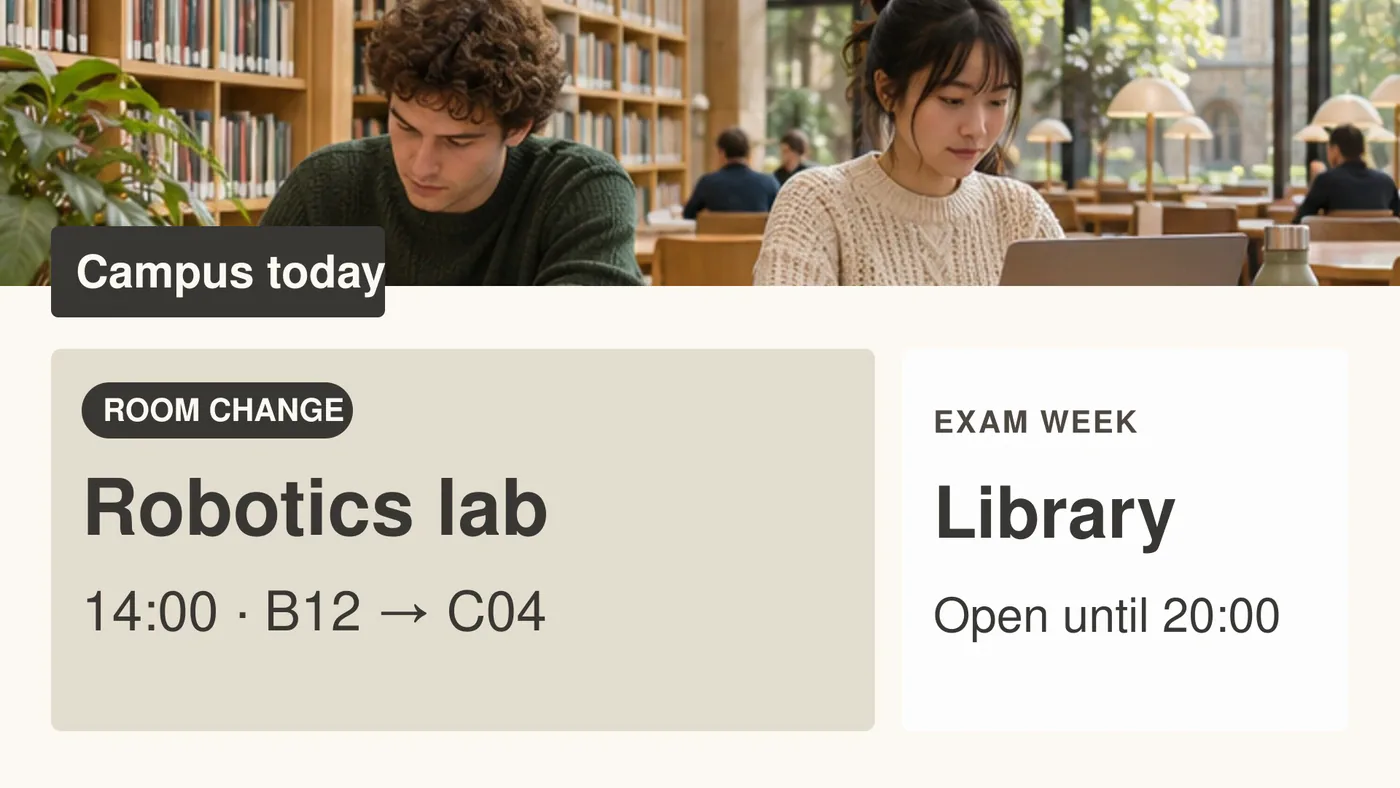
Timetable and changes visible at once
Room swaps and schedule shifts go to the hallway screens automatically.
One digital noticeboard for the whole school
Events, exams and announcements in one place, always up to date.
Run by the front office, no IT needed
Plan and publish without a technical detour, from the browser, no install.
A screen in the hallway does more than look nice
A student walking in at the start of the day wants to know one thing: which room, which hour, which teacher. A screen in the entrance hall showing the day's timetable (with room swaps and schedule shifts already applied) saves the front office dozens of questions every day. The same screen announces the school trip, the exam planning or the open day.
Gibeon lets the front office manage that content itself, without involving the IT coordinator. Your scheduling software delivers the data through a CSV or JSON link. Gibeon picks it up and shows the result on every screen in the school. When a room changes on the spot, the screen updates within fifteen minutes, with no one having to go stand behind a screen.
Six places in your school where the screen earns its keep
Timetable and room changes
Entrance and hallway screens show today's and tomorrow's timetable, with room changes and schedule shifts applied automatically.
Digital noticeboard in the hall
School news, open day, sports day, parents' evening on one screen as a central announcement. No paper posters left up three weeks too long.
Events and exam schedules
Exam dates, deadlines and days off on a separate screen, or as a rotating slide inside the normal timetable view.
Canteen and menu screen
Daily and weekly menu from a Google Sheet or CSV. Students see what's on before they join the queue.
Reception for visitors and parents
Welcome message, floor plan and who to ask for on the screen at the entrance. Visitors find their way without blocking the desk.
Staff room and team announcements
Meeting agenda, training dates and internal notices on a separate screen in the staff room, for staff only.
Connections with your scheduling software · Via a CSV or JSON link, whatever suits your school
CSV or JSON link (also Google Sheets)
Paste a public link to your timetable as a CSV file, a JSON list or a Google Sheet. No login or API key needed. gibeon.io fetches the link every 15 minutes and shows the result on the screen with no manual work.
JSON list (your own system)
Can your scheduling software put a JSON list on a public link? Paste that link, pick up to four columns and gibeon.io shows them as a table on the screen.
Smartschool, Wisa and other systems
Such systems keep their data behind a login or an API key, which the link refuses. Export the timetable to a Google Sheet or a CSV and put it behind a public link.
Using a different scheduling system? Export to a Google Sheet or a CSV and put it behind a public link.
Frequently asked questions
Can the timetable show up on the screen automatically?
Yes. You deliver a CSV or JSON link from your scheduling software, and Gibeon shows the timetable on the hallway and entrance screens. Change a lesson, and the screen updates within fifteen minutes. Smartschool, Wisa and other systems keep their data behind a login; export the timetable to a Google Sheet or a CSV and put it behind a public link.
Does Gibeon work for several campuses or a school group?
Yes. You manage all campuses from one workspace. You roll out school-wide announcements and branding centrally, while each campus keeps its own timetable and local messages.
Who runs the screens, the front office or the IT coordinator?
The front office. Gibeon works from the browser with no install. You don't need to run a network cable or manage a server. The IT coordinator doesn't have to be called in for it.
Which screens work in a school?
Any smart TV or commercial display will do. Gibeon runs as an app on a forty-euro Android stick you tuck behind an existing TV, or on a built-in Google TV. No expensive kiosk terminals needed.
How much does this cost per screen?
Nothing per screen. You pay per workspace, not per screen. See the current rates at /plans.
Does it also work offline during a temporary internet outage?
Yes. Gibeon stores the latest version of your content locally on the screen. During a temporary internet outage the screen just keeps running on the cached content. Changes sync automatically as soon as the connection is back.
Other sectors · more verticals
Screens for the office
Reception TVs, careers walls and meeting-room status for companies and organisations.
HEALTHCAREScreens for healthcare
Waiting-room screens, ward boards and patient information for care providers.
EVENTSScreens for events
Room signs, sponsors and per-booking programmes for conferences and venues.
Ready to put the timetable on the screen?
Start free and see your first screen live within fifteen minutes. Prefer a tour first? Book a twenty-minute demo.